
Collaborate and share feedback
Hiring decisions move faster when the right people can weigh in at the right time. WedgeHR makes it easy to share candidate interviews, collect feedback, and align on decisions without meetings or long email threads.
You control who sees what and when.
When to bring others in
Not every hire needs a committee. Collaboration helps most when:
- A candidate looks strong and you want a second opinion
- A hiring manager needs to weigh in before moving someone forward
- A decision is close and your team needs to align
- You want to share a candidate's responses with somebody they're scheduled to interview with
You can involve others at any point without slowing things down.
Share interviews with teammates
You can share candidate interviews directly from WedgeHR so that your teammates can watch responses. If they are part of your WedgeHR account, they can also read transcripts and summaries, and leave their own feedback.
- Open the candidate interview you want to share.
- Click Share.
- The share link is copied to your clipboard
- Send that link directly to the person you want to share the candidate with.
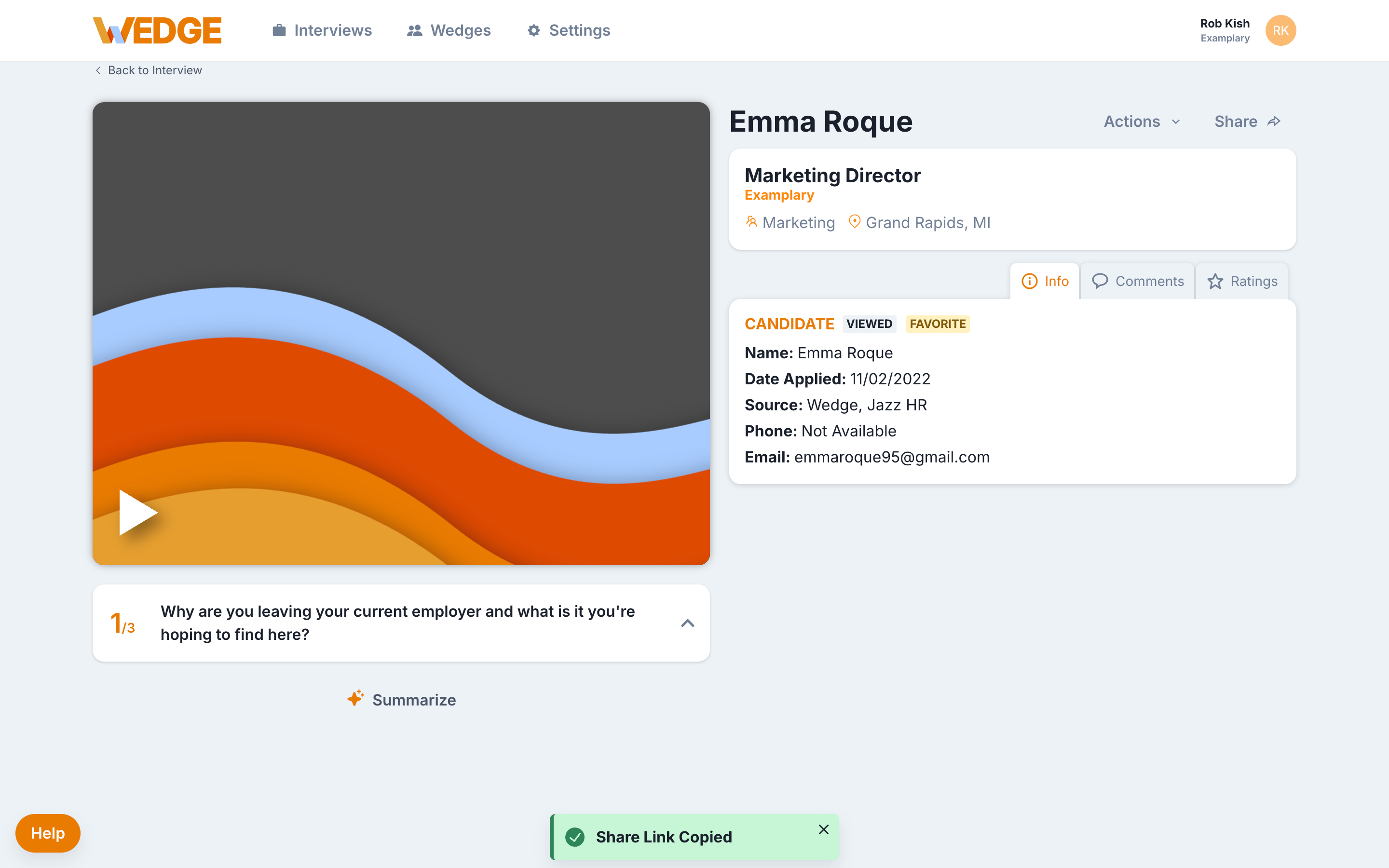
Leave feedback
WedgeHR keeps feedback tied to each candidate so nothing gets lost across emails or messaging threads.
Your team can:
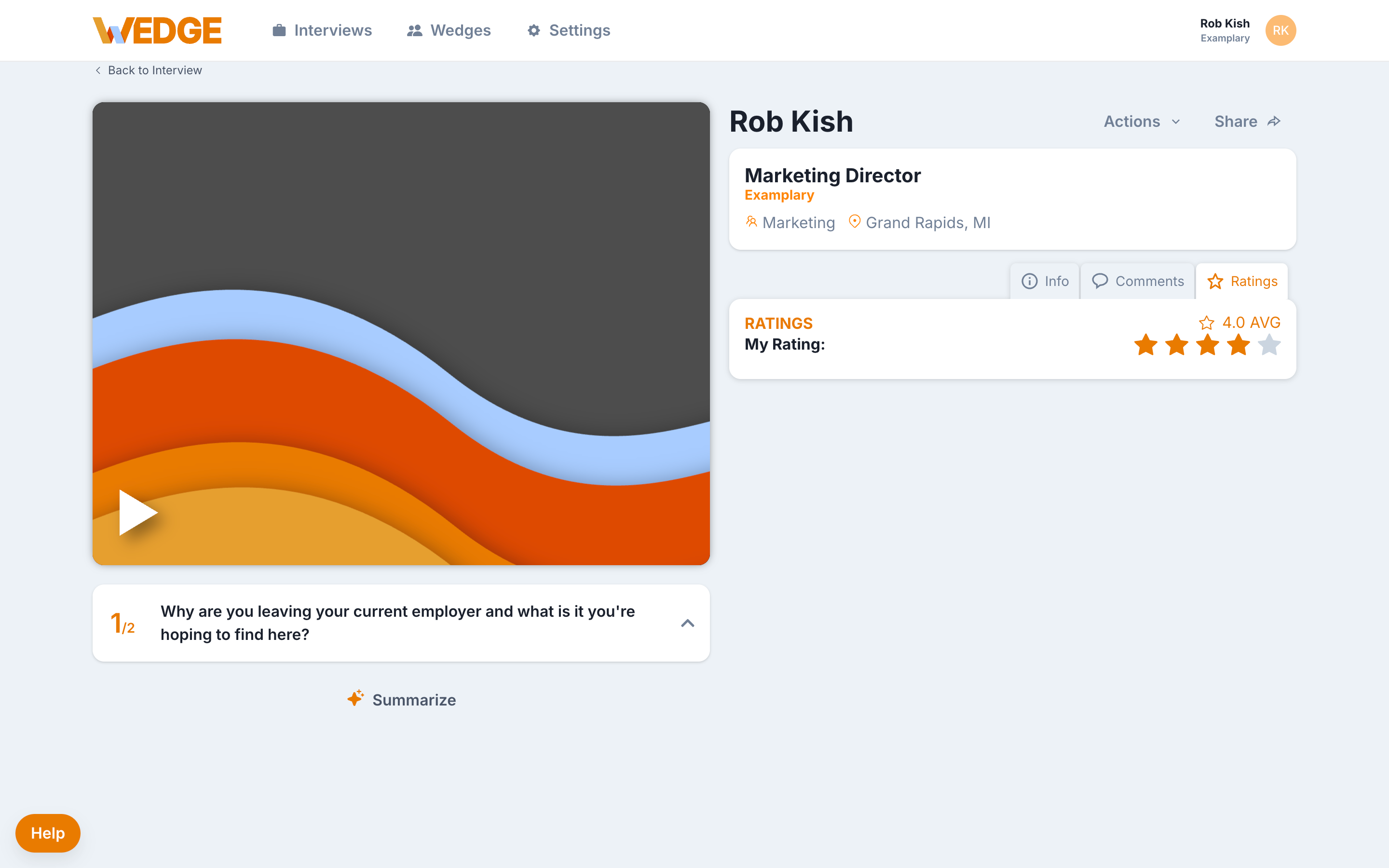
- Leave comments on each candidate overall
- Add ratings to indicate fit or readiness
- Update candidate status (e.g., "Favorite," "Disqualified") as decisions are made
All feedback stays in the Candidate Viewer, visible only to those with access.
What good collaboration looks like
Healthy collaboration usually follows this pattern:
- One primary reviewer does the first pass and flags strong candidates.
- One or two others review flagged candidates and add their input.
- The team makes a decision soon after feedback comes in.
If collaboration speeds things up instead of slowing them down, you're doing it right.
Common questions
Do all collaborators need a WedgeHR account? Yes. Teammates need to be invited to your WedgeHR account to add feedback. Team members that do not have a WedgeHR account can view candidate interviews, but are not able to see or leave feedback. You can manage team members in Settings > Team.
Do we have to use ratings and comments? No. Use the tools that help your team make decisions. Some teams just use status updates. Others use the full set.
Can we collaborate across locations or time zones? Yes. WedgeHR is built for asynchronous review. Teammates can leave feedback whenever it works for them.
Ready for the next step?
You're reviewing candidates and making decisions together. If you use an ATS, now is a good time to connect it.