
Review interviews
When a candidate finishes their interview, everything you need to evaluate them is in one place. Video responses, AI summaries, transcripts, and candidate details are all organized in a single view.
Most reviews take just a few minutes per candidate.
Find completed interviews
When a candidate submits their interview, it appears in your dashboard automatically and you get an email notification.
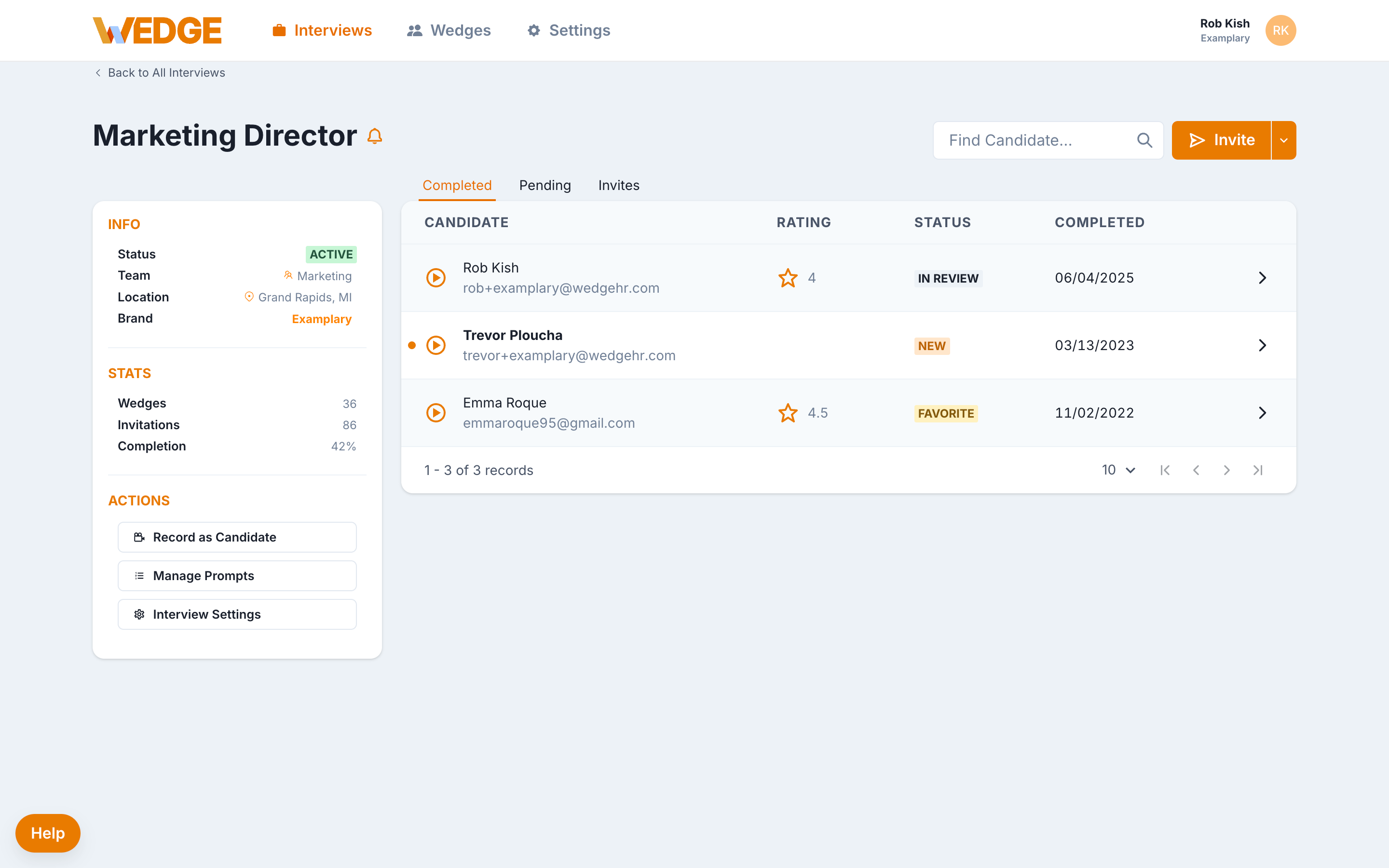
From the Interviews tab, click into the interview you want to review. You'll see a list of candidates with their review status, rating, and completion date.
Click the play icon next to any candidate's name to open their full response.
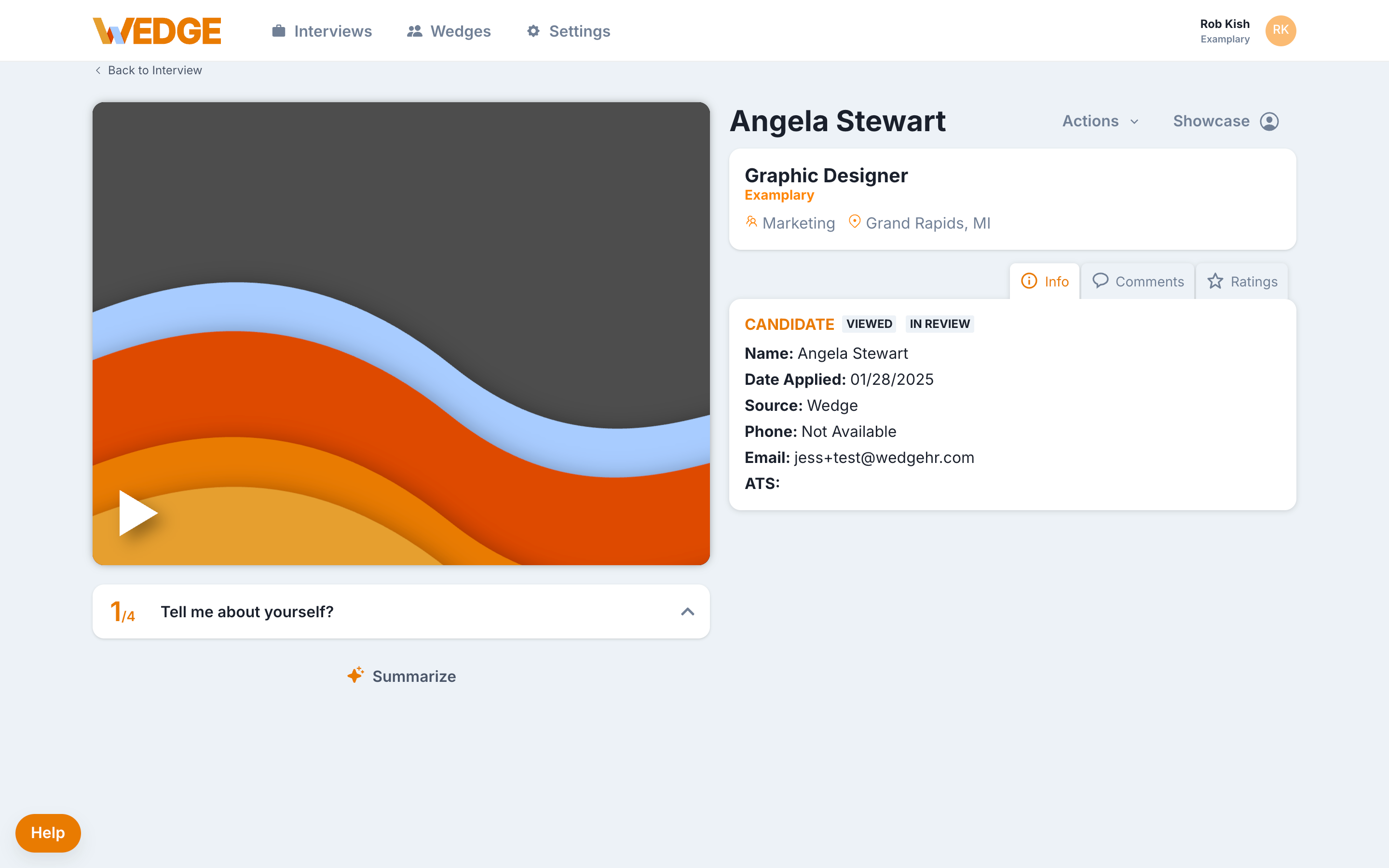
The Candidate Viewer
Each candidate has a single, streamlined page where you can review everything.
From the Candidate Viewer, you can:
- Watch or listen to video responses one question at a time
- Read the full transcript alongside the recording
- See key candidate details (name, email, invite date, status) without switching tabs
- View the AI-generated summary for a quick overview
Where to start your review
Most reviewers follow this sequence:
- Read the AI summary to get oriented. It highlights key themes from the candidate's responses.
- Watch or listen to specific responses that stand out or need closer attention.
- Scan the transcript to confirm details or pull quotes for your notes.
This approach lets you move quickly without missing important signal.
Tip: AI summaries are a starting point, not a final verdict. Use them to triage and prioritize, then watch the responses that matter most.
Evaluate candidates consistently
You don't need a complicated scoring system. Many teams start with three simple questions:
- Does this person meet the basic requirements?
- Can they communicate clearly?
- Would I want to talk to them next?
If yes, move them forward. If no, you have your answer.
Consistency matters more than complexity. Use the same criteria across candidates so your decisions hold up.
Use AI summaries and transcripts
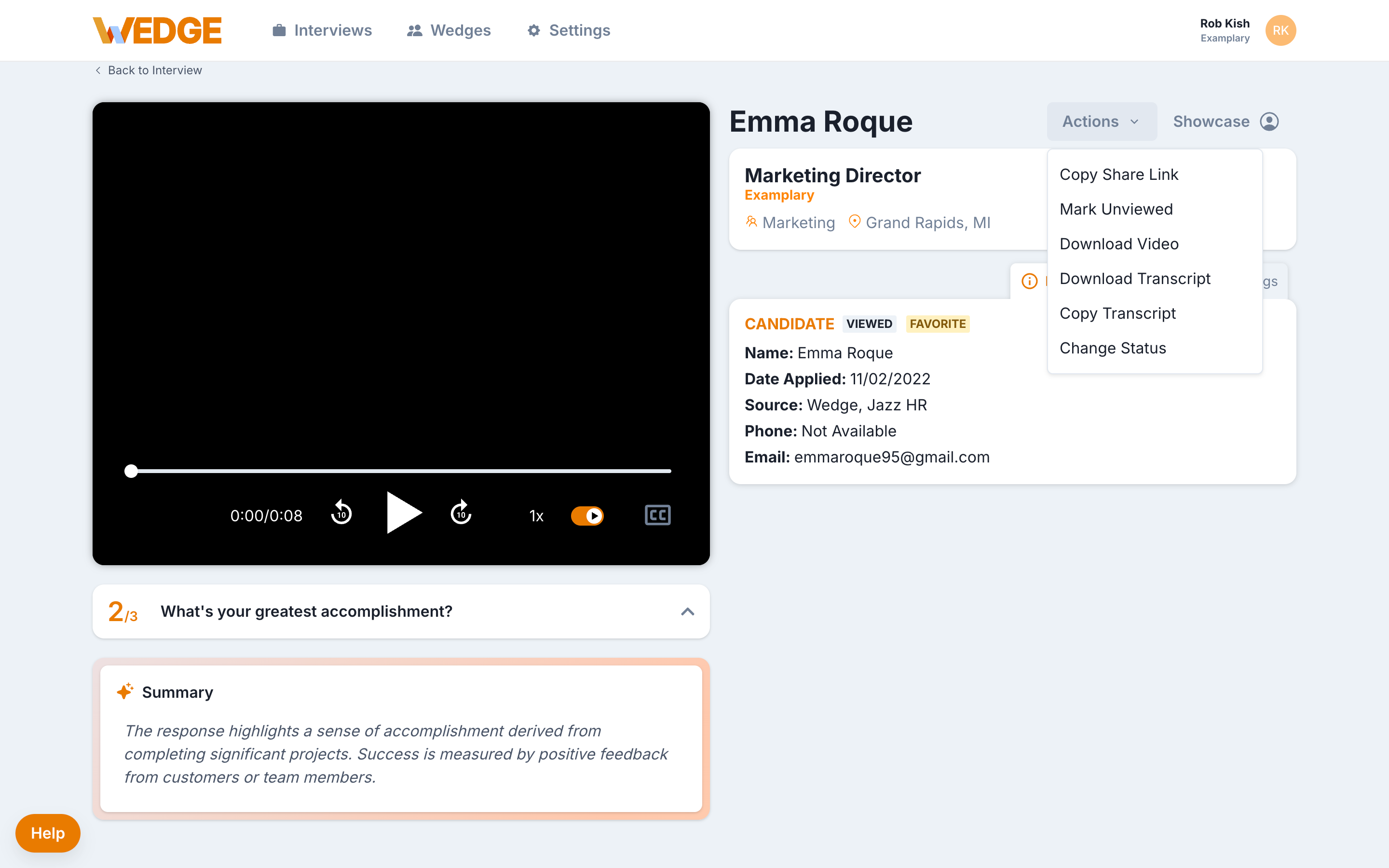
AI summaries give you a quick read on each candidate. They work best as a first pass to help you decide where to spend your review time.
Transcripts capture everything the candidate said. Use them to:
- Confirm specific details mentioned in a response
- Share relevant quotes with teammates
- Review without audio when you're in an open office or on the go
Both are generated automatically after enabling Wedge AI in Settings.
Review on your schedule
The biggest advantage of WedgeHR is asynchronous review. You can watch candidate responses between meetings, during a coffee break, or at the end of the day.
Your teammates can do the same on their own time. Hiring keeps moving without calendar coordination or extra meetings.
Most teams aim to review responses within 24 to 48 hours. Faster reviews keep candidates engaged and reduce drop-off.
Common questions
Do I need to watch every response in full? No. Start with the AI summary and transcript, then watch specific responses that need closer attention.
Can I review interviews on my phone? Yes. The Candidate Viewer works on any device.
How quickly should I review? Aim for 24 to 48 hours. Candidates who hear back sooner are more likely to stay engaged.
Can I go back and re-review a candidate later? Yes. Responses stay in WedgeHR. You can revisit them anytime.
Ready for the next step?
You've reviewed candidates. Now bring your team into the process.